
Tags
Not every product ships the same way. Tags make sure they don't have to.
One cart. Many products. Different rules for each.
A standard t-shirt and a bottle of hazardous cleaning fluid can end up in the same cart — but they can't both ship via the same carrier. Without intelligent routing your only options are to restrict every order to the most cautious carrier, losing competitive rates on standard orders.
Tags give you the flexibility required. Attach labels or attributes to products that describe how they should ship. Configure routing rules once in the shipping portal. From that point on, every order is routed correctly — automatically, at checkout, with no manual intervention.
How Tags work
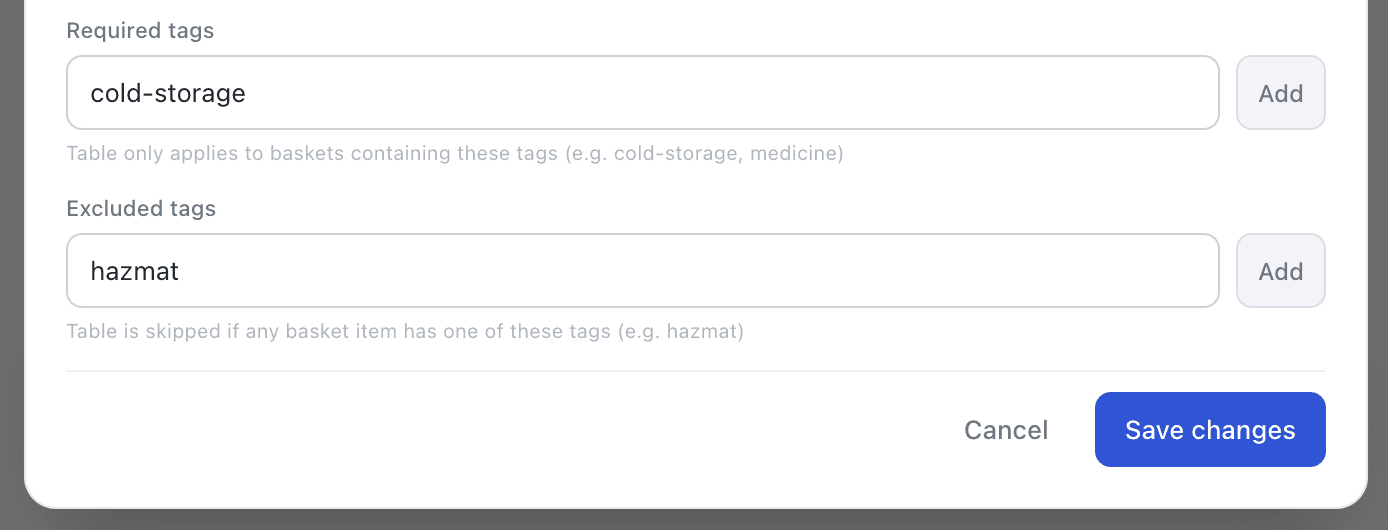
Tags are short string labels on individual cart items. When a rate request arrives, ShipRateAPI evaluates the tags across all items in the cart and uses them to decide which rate tables to include or exclude.
Example: VIP customers, different rates
Tags aren't just for products — they work for customer segmentation too. Tag orders from VIP or wholesale accounts and gate entire rate tables behind that tag. Special customers see their rates; everyone else sees theirs.
Regular customer
- →No customer tag on cart items
- →Standard rate tables apply
- →VIP rate table is skipped —
requiredTags: ["vip-customer"]not matched - ✓Sees standard shipping options and prices
VIP / wholesale customer
- →Cart items tagged
vip-customerby your platform - →VIP rate table matches —
requiredTags: ["vip-customer"] - →Standard rate table excluded —
excludedTags: ["vip-customer"] - ✓Sees free express shipping or account rates only
No storefront changes. No custom code. Configure once in the admin portal — the right rates appear automatically at checkout for each customer group.
Example: Cold storage prescription items
A prescription medication requiring refrigeration needs two things to be true at once — the carrier must handle cold-chain and be licensed for regulated goods. Tag the product with both cold-storage and prescription, then configure a specialist rate table that requires both. Mixed carts are handled automatically — standard carriers disappear the moment either tag is present.
Cart with regular items only
- →No
cold-storageorprescriptiontags present - →Standard carrier rate tables apply
- →Specialist rate table skipped —
requiredTagsnot matched - ✓Customer sees standard courier options
Cart containing a prescription cold-storage item
- →Item tagged
cold-storage+prescription - →Specialist rate table matches —
requiredTags: ["cold-storage", "prescription"] - →Standard carriers excluded —
excludedTags: ["cold-storage"] - ✓Only compliant cold-chain carriers are offered
Use Any / All tag matching to require one tag or all of them — a single config switch controls how strictly the rule applies.
Routing scenarios Tags unlock
Tags are flexible enough to handle any product-based routing requirement — from regulatory compliance to customer loyalty tiers.
Cold-chain products
Tag chilled and frozen items with cold-storage. Only cold-chain carriers appear for those orders — standard carriers are automatically excluded.
Hazardous goods
Tag restricted products with dangerous-goods. Standard carriers are excluded; specialist carriers are required. Mixed carts are handled automatically.
Bulky or oversized items
Tag large products with large-parcel. Route them to freight or specialist carriers, and away from letter-box and standard services.
High-value or fragile items
Tag luxury or breakable products with fragile. Surface premium carriers with enhanced handling — and keep standard services available for everything else.
Trade and wholesale accounts
Tag B2B orders or account customers. Offer different carriers or free shipping tiers to specific customer segments without changing your storefront.
Regulated or prescription items
Tag medicine, chemicals, or age-restricted goods. Restrict them to compliant services and prevent them from routing via unsuitable carriers.
Works with every platform — including existing product data.
You don't need to re-tag every product manually. For Magento 2, attribute mapping rules let you derive ShipRateAPI tags from existing product attributes — temperature zone, hazmat class, product category — without touching individual products.
Combines with other features
Tags work with every other ShipRateAPI feature for even more precise control.
Shipping Rules
Any rate type can be tag-gated — dimensional for large-parcel, free for loyalty customers, per-item for letterbox products.
Learn moreScheduled Rules
Combine tags with time windows — restrict a carrier from dangerous-goods orders only during the Christmas period.
Learn moreCoverage Scanner
The scanner checks your tag configuration for gaps and flags zones where untagged orders would fall through.
Learn moreStart routing smarter today.
Tags are available on all plans. Add your first tag rule in the admin portal in minutes.
Read the documentationTalk to us