
Quote Testing
Verify your shipping configuration against any cart and any address — interactively, before it reaches a customer.
You shouldn't need a live customer to find out your rates are wrong.
Shipping configuration is deceptively complex. A rate table that looks correct in isolation can produce unexpected results when combined with tag rules, schedule windows, and order value guards. The only way to be sure is to test — but most systems make testing difficult, requiring API calls, test orders, or guesswork from the admin interface.
ShipRateAPI's Quote Testing tool lets you simulate any rate request directly from the admin portal. Specify a destination, build a test cart, add product tags, and see the full rating engine response in real time — exactly what a customer at that address with that cart would see at checkout.
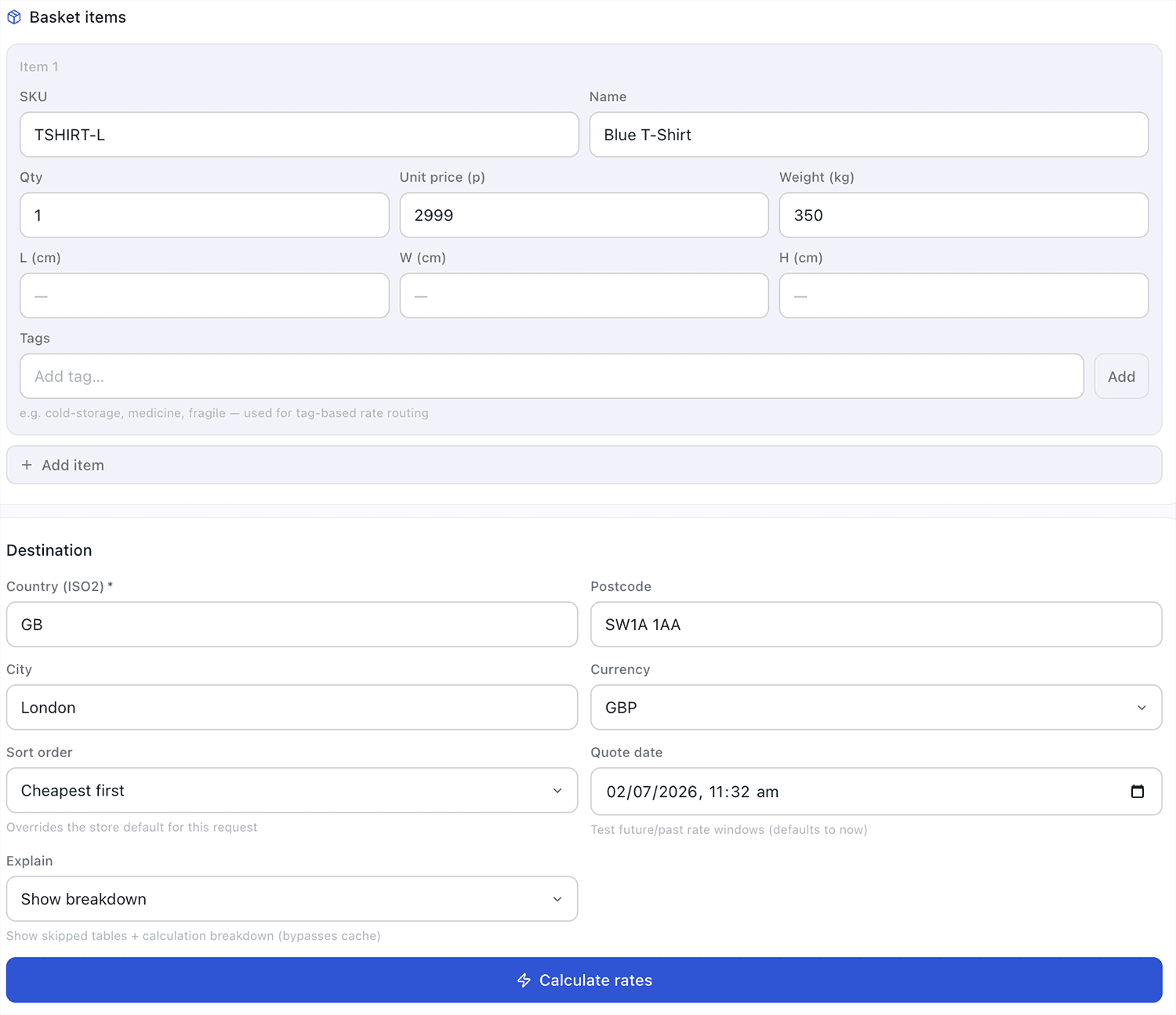
Test any scenario in seconds
Every dimension of a rate request can be simulated — destination, weight, order value, product tags, and timing — giving you complete confidence in your configuration before it affects a real customer.
Any destination
Enter any country and postcode combination to see exactly what rates a customer at that address would receive at checkout.
Custom cart contents
Specify weight, order value, item count, and product tags to simulate real cart scenarios — including mixed carts with multiple product types.
Tag simulation
Add product tags to your test cart to verify that tag-based routing rules are working correctly — dangerous goods excluded, cold-chain restricted, and so on.
Full response detail
See every carrier evaluated, every rate returned, which tables were active, which were skipped, and why — the complete picture of how the rating engine handled the request.
Scheduled rate preview
Specify a test datetime to see what rates would be returned at a future point — verify your Christmas pricing before December arrives.
No impact on production
Test requests are evaluated against your live configuration but are not logged in the Quote Log as customer requests — clearly separated from real traffic.
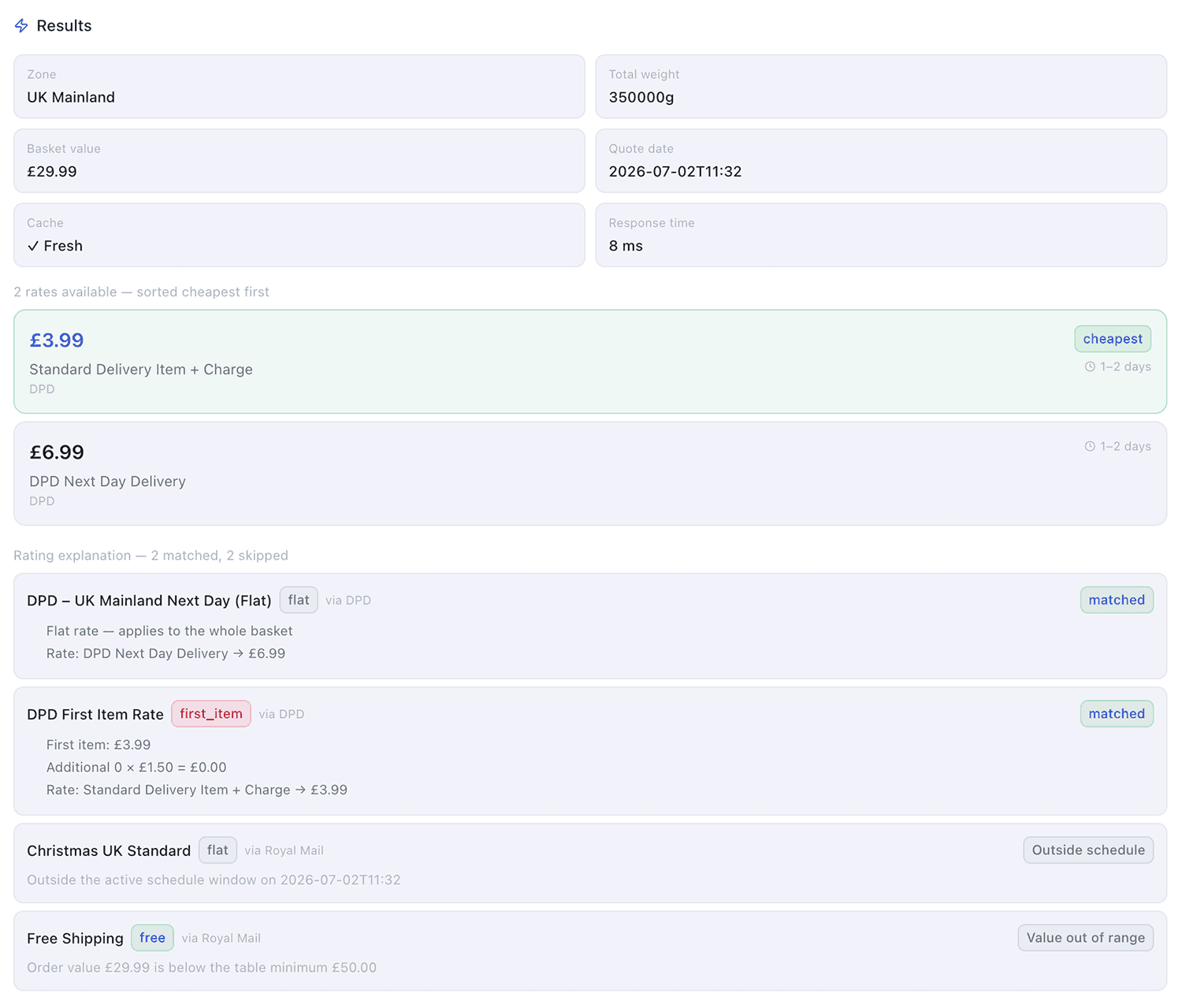
Not just the rates — the full explanation.
The test response shows more than just which carriers and rates were returned. It shows the complete picture of how the rating engine processed the request — which tables were evaluated, which were skipped, and exactly why.
Preview scheduled rates before they go live.
One of the most valuable testing scenarios is verifying scheduled rate windows before they activate. The Quote Testing tool lets you specify a test datetime — so you can confirm that your Christmas surcharge tables are correctly configured weeks before the peak period begins.
Combine this with the Coverage Scanner's scheduling gap detection for complete confidence that your time-gated configuration will behave exactly as intended — from the moment the window opens to the moment it closes.
Learn about Scheduled Rules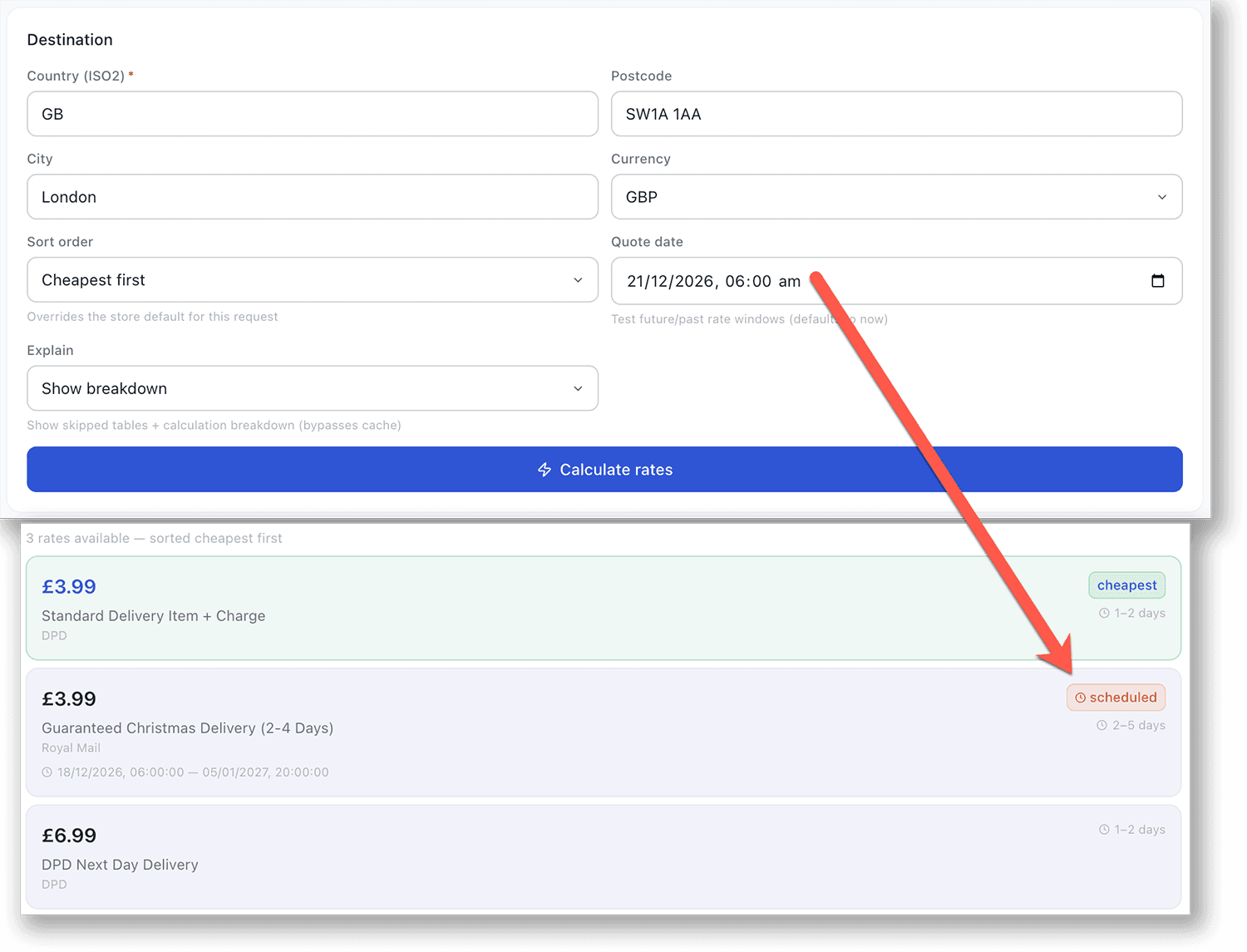
Test any configuration, any combination
Quote Testing understands every ShipRateAPI feature — tags, scheduling, and rate types are all exercised in a single test request.
Tags
Add tags to your test cart to verify routing rules — confirm that restricted carriers are excluded and required carriers appear as expected.
Learn moreScheduled Rules
Test with a future datetime to preview scheduled windows before they activate — no surprises when peak period arrives.
Learn moreQuote Log
Real customer requests appear in the Quote Log — test requests are kept separate so production analytics stay clean.
Learn moreTest your configuration before a customer does.
Quote Testing is available on all plans. Navigate to Testing in the admin portal and run your first test request in under a minute.
Get startedTalk to us