
Quote Log
A complete record of every rate request — what was asked, what was returned, and when.
When something goes wrong at checkout, you need to know exactly what happened.
A customer calls to say they weren't offered the carrier they expected. A new rate configuration went live and you want to confirm it's working. A zone started returning no rates and you need to find the last request that succeeded. Without a record of what was actually returned to customers, investigating these situations means guesswork.
The Quote Log records every rate request ShipRateAPI processes — the full request payload, the complete response, and the timing of each call. It's the audit trail that lets you investigate any checkout event after the fact, confirm that configuration changes are having the intended effect, and understand how customers are actually using your shipping options.
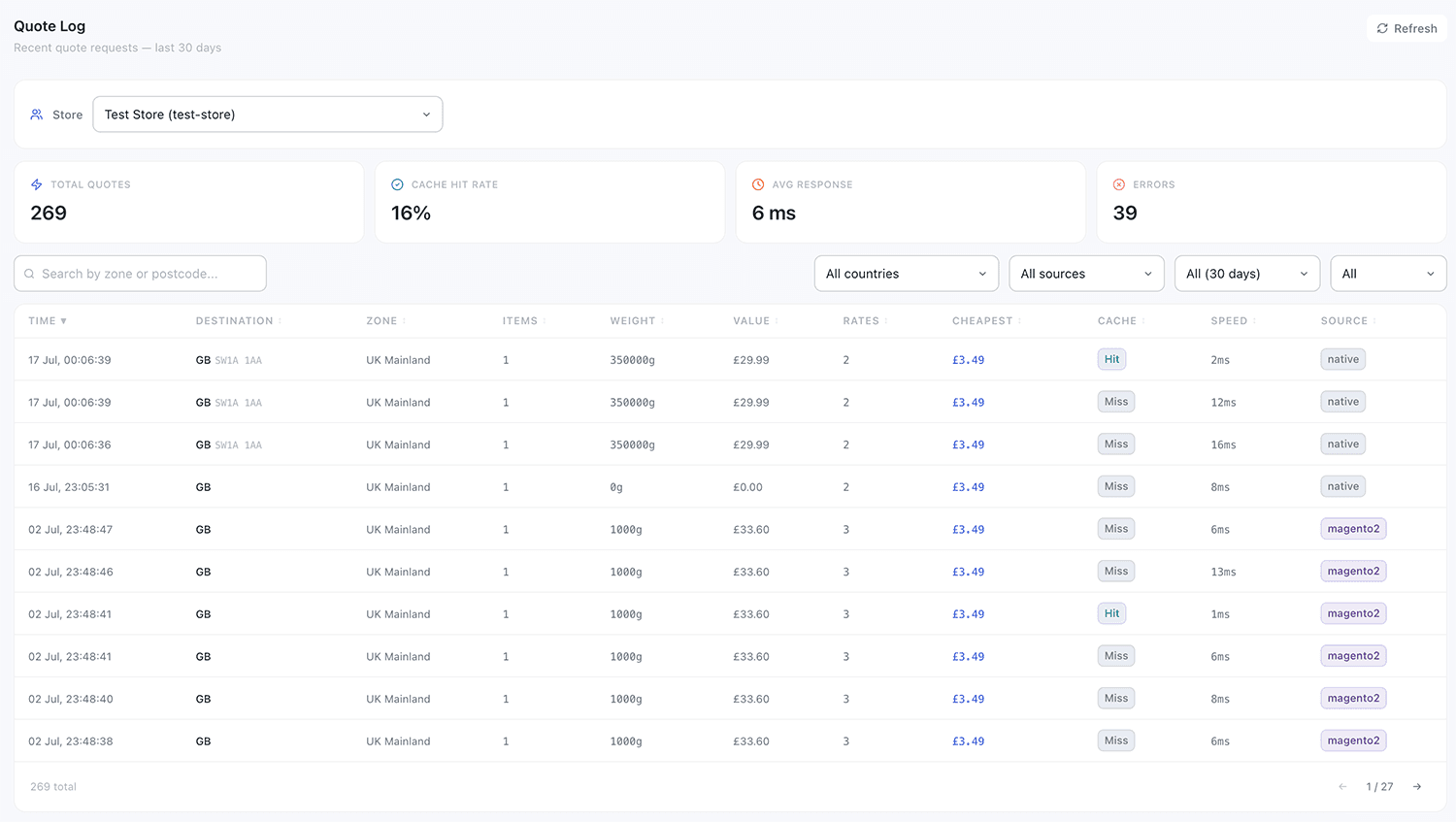
Everything you need to understand what's happening at checkout
The Quote Log isn't just a list of requests — it's a diagnostic and insight tool for everyone responsible for the customer experience.
Complete request history
Every rate request received by ShipRateAPI is logged — destination, cart details, tags, timestamp, and the full response returned to the customer.
Filterable and searchable
Filter by store, date range, destination country, or postcode. Find the specific request you need without scrolling through thousands of entries.
Full request detail
Expand any log entry to see the complete request payload and the exact response — which carriers were returned, which were skipped, and why.
Response time tracking
See how long each rate request took to process — useful for monitoring API performance and identifying any degradation over time.
Usage insights
Understand your busiest periods, most-requested destinations, and how often requests return no rates — information that helps you improve your configuration.
Audit trail
A permanent record of what was returned to customers. Useful for investigating disputes, diagnosing unexpected checkout behaviour, and confirming that configuration changes took effect.
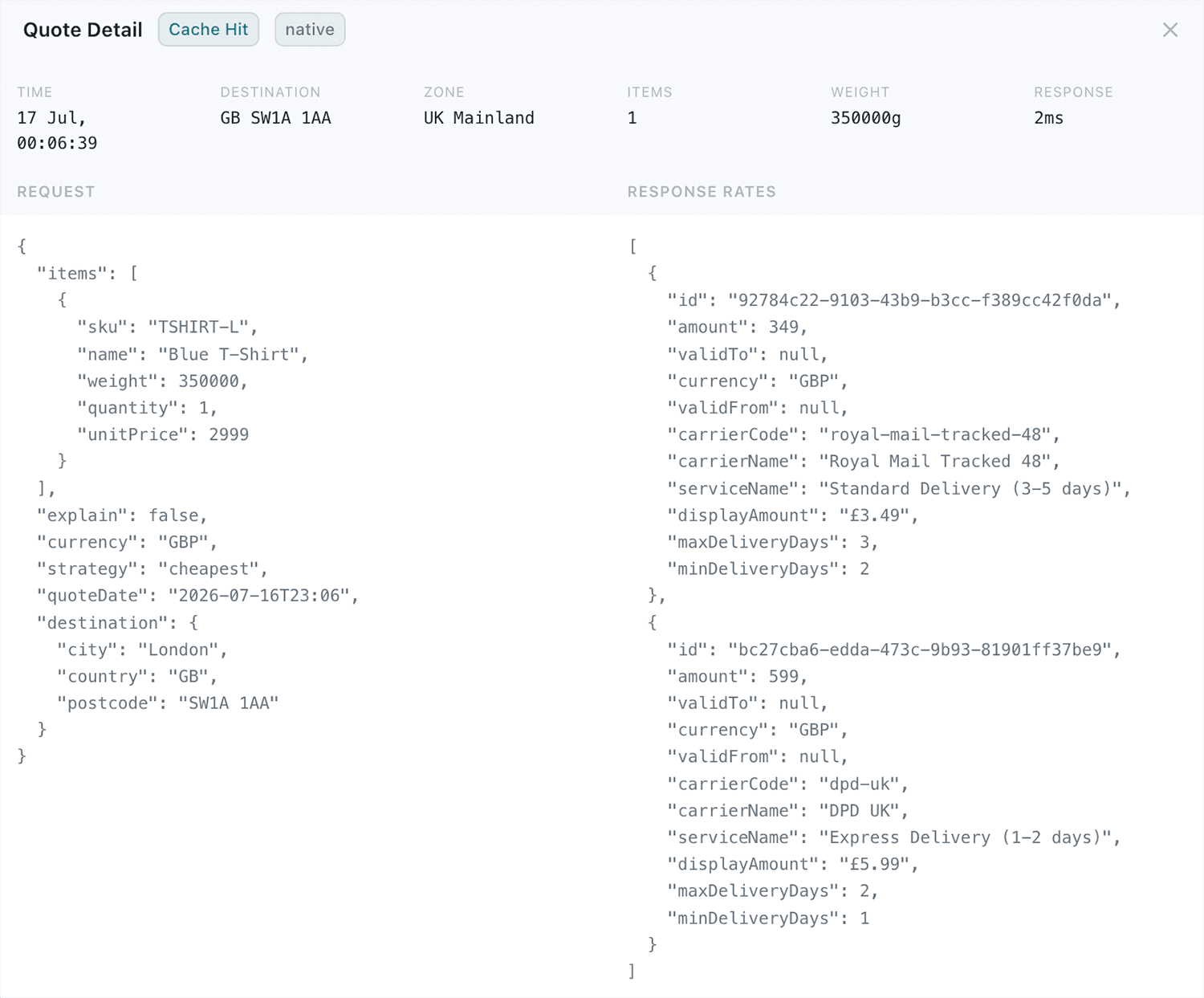
The exact request. The exact response.
Open any log entry and you get the raw JSON that crossed the wire — the payload your platform sent, side by side with the rates ShipRateAPI returned. Nothing summarised, nothing reconstructed after the fact: it is the exchange the customer actually got.
Confirm configuration changes are working in production.
After making a change to your rate tables — adding a carrier, adjusting a schedule window, or modifying tag rules — the Quote Log gives you immediate visibility of whether real customer requests are being handled correctly.
Filter to requests received after the change was saved and inspect the detail view to confirm that the right carriers are appearing, the right tables are being selected, and the right rates are being returned. No test orders required.
Learn about Quote Testing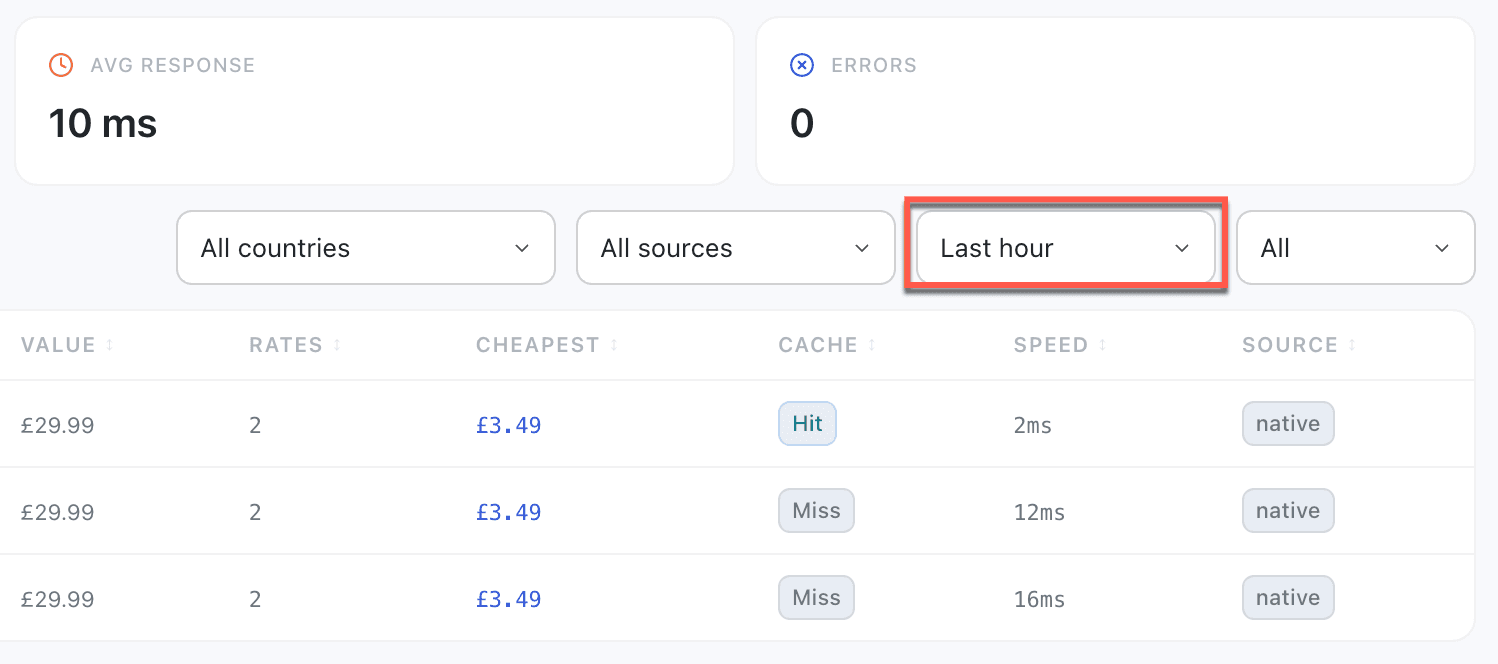
Works alongside every other feature
The Quote Log records every feature interaction — tag routing, schedule windows, and rate calculations are all visible in the detail view.
Quote Testing
Test requests are kept separate from production requests in the log — your analytics and audit trail reflect real customer traffic only.
Learn moreCoverage Scanner
Use the Quote Log to identify zones returning no rates, then use the Coverage Scanner to diagnose and fix the configuration.
Learn moreHealth Check
If response times in the Quote Log increase unexpectedly, the Health Check confirms whether the API, database, or cache are the cause.
Learn moreFull visibility into every rate request.
The Quote Log is available on all plans. Navigate to Quote Log in the admin portal to see your request history immediately.
Get startedTalk to us