
Scheduled Rules
Set your pricing calendar in advance. ShipRateAPI handles the rest.
Carrier rates change. Managing those changes manually is a risk you don't need to take.
Every ecommerce business faces moments where shipping rates need to change on a specific date — peak season surcharges from Christmas, promotional free shipping for a weekend sale, new-year tariff increases from Royal Mail or UPS. Managing those changes manually means remembering to log in at the right moment, making the change under pressure, then logging back in again to revert it. One forgotten step means customers see wrong rates or pay the wrong price.
Scheduled Rules eliminate that risk entirely. Every rate table in ShipRateAPI can be given an activation window — a start datetime, an end datetime, or both. The rating engine evaluates those windows automatically on every request, switching rates in and out at exactly the second you specified. No manual intervention. No midnight logins. No mistakes.
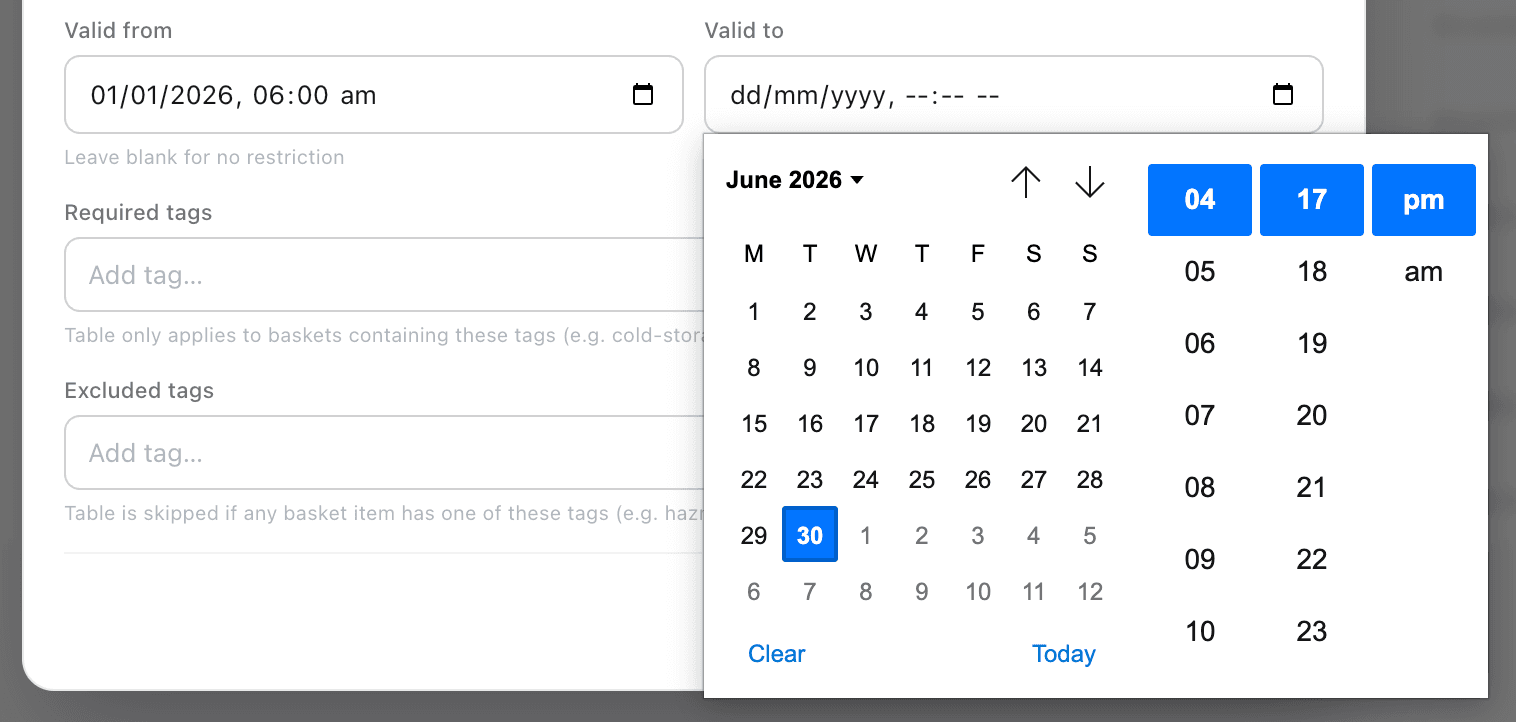
How Scheduled Rules work
Every rate table has two optional datetime fields — validFrom and validTo — that define its active window. Tables with no window set are always eligible. Tables with a window are only evaluated when the current datetime falls within that range.
What you can schedule
Any rate table can be scheduled — which means any rate type, any carrier, any zone. Scheduled Rules work for every scenario where timing matters.
Peak season surcharges
Configure Christmas, Black Friday, and holiday peak rates weeks in advance. The moment the window opens, customers see the correct pricing — without a midnight login.
Promotional free shipping
Run a free shipping weekend for a campaign without risk of forgetting to turn it off. Set a tight window and the offer expires automatically when it should.
Planned tariff increases
Prepare next year's carrier rates now. Create the new tables with a future validFrom and they sit dormant until the date arrives — no last-minute changes, no pressure.
Carrier downtime windows
Remove a carrier from the checkout during a planned non-collection window without deleting any configuration. It comes back when the window closes.
Flash sale shipping
Limited-time flat-rate or free shipping offers for specific hours. ShipRateAPI activates and deactivates them with second-level precision.
Regional or seasonal variation
Different carriers are optimal at different times of year. Schedule the right carrier mix for summer, winter, and everything in between.
Standard and seasonal tables — side by side
In the admin portal you can see your entire rate table calendar at once. Standard tables run most of the year; scheduled tables show their windows as badges so you can verify your setup before it goes live.
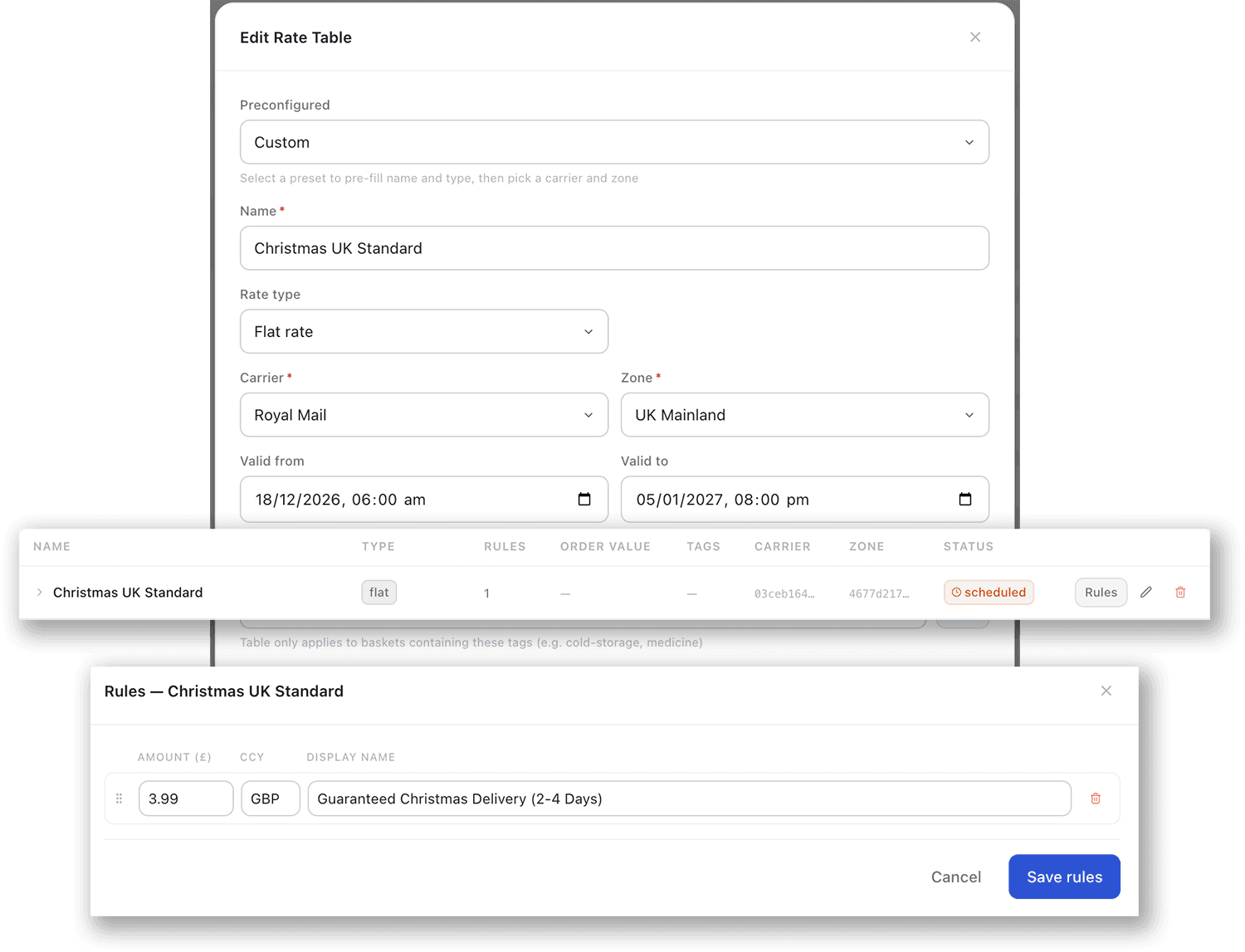
Validate before you go live.
The most common scheduling mistake is a gap between windows — the standard table's validTo and the peak table's validFrom don't meet exactly, leaving a period where no rate table is eligible. During that gap, the zone returns no shipping options to customers.
The Coverage Scanner detects these gaps, overlaps, and any other configuration issues across all your zones before they reach a single customer. After setting up any scheduled rate table, run the scanner to confirm your windows produce the intended coverage throughout the entire period.
Learn about the Coverage Scanner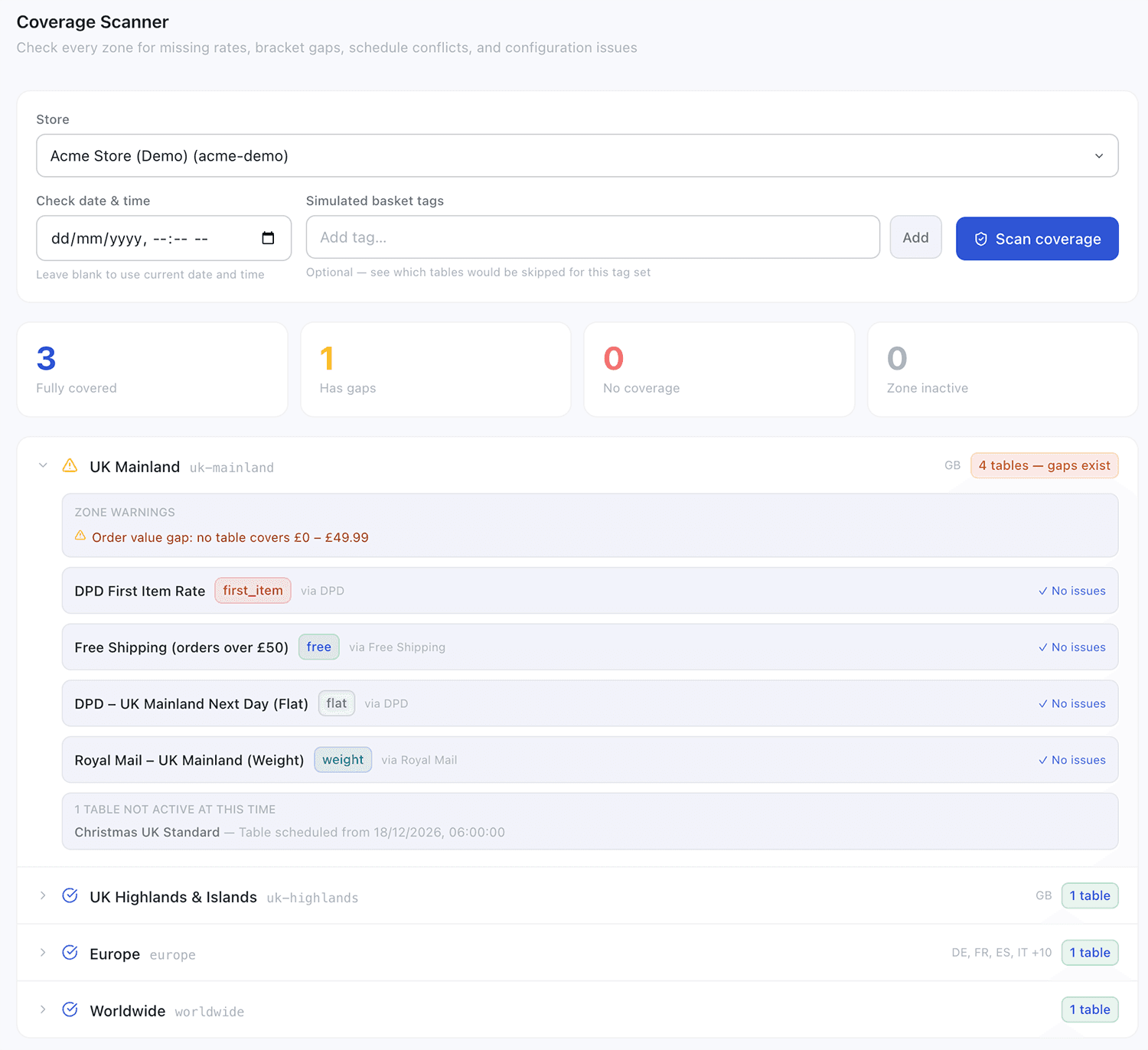
Combines with every other feature
Scheduling works on top of every rate type and routing rule — which makes it one of the most versatile tools in ShipRateAPI.
Shipping Rules
Any rate type can be scheduled — flat, weight, dimensional, free, or a full configurable pipeline. Schedule whichever type matches the period.
Learn moreTags
Combine tags with scheduling to restrict a carrier from tagged orders only during specific periods — e.g. exclude standard carriers from dangerous-goods shipments during peak.
Learn moreCoverage Scanner
The essential companion to scheduled rules. Confirms your windows meet without gaps and every zone has valid coverage throughout every period.
Learn moreSet your shipping calendar once. Let it run itself.
Scheduled Rules are available on all plans. Configure your first time-gated rate table in the admin portal in minutes.
Read the documentationTalk to us