
Coverage Scanner
Find configuration problems before your customers do — across every zone, every carrier, every schedule window.
A broken shipping zone is invisible — right up until a customer can't check out.
Shipping configuration problems are silent. A zone with no active rate tables doesn't warn you — it just returns nothing. A scheduling gap doesn't send an alert — it just leaves customers with no options for however long the gap lasts. A tag configuration that routes every order to a carrier exclusion looks fine in the admin until a mixed cart proves it wrong.
The Coverage Scanner is a built-in diagnostic tool that analyses every shipping zone across your store and surfaces those problems before they reach a single customer. Run it after any configuration change, before a peak trading period, or as a routine health check to stay confident your checkout is working exactly as intended.
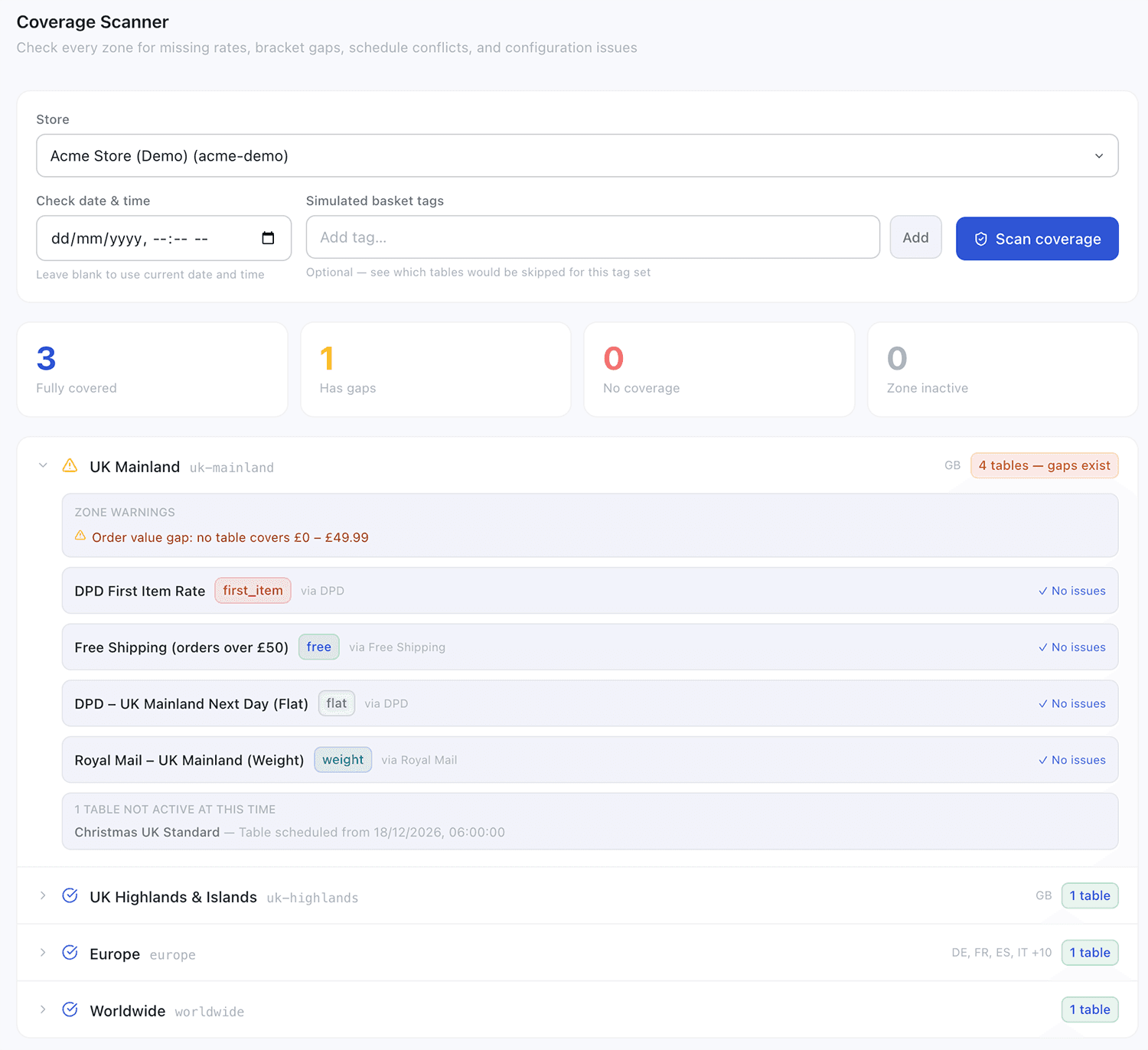
Five categories of issue. One scan.
Most of these problems are undetectable without sending a live rate request to a specific address. The scanner surfaces them all in one pass — across every zone, without any test orders.
No active rate tables
The zone has no rate tables at all, or every table is disabled. Any customer shipping to this destination sees no options at checkout — a complete checkout failure.
Scheduling gaps
validFrom and validTo windows that leave a period where no table is active. The most common issue when setting up seasonal pricing — a one-second gap is enough to break a zone.
Order value gaps
When multiple rate tables use order value guards, the scanner verifies the ranges fit together without gaps. A £1 gap means some orders return no rates.
Tag coverage gap
Every active table in the zone has requiredTags set, meaning orders with no matching tags return no rates. Detected and flagged so you can add a fallback table.
Ungated free shipping
A free rate table has no minimum order value — every order ships free regardless of cart total. Flagged as informational; may be intentional, but always worth confirming.
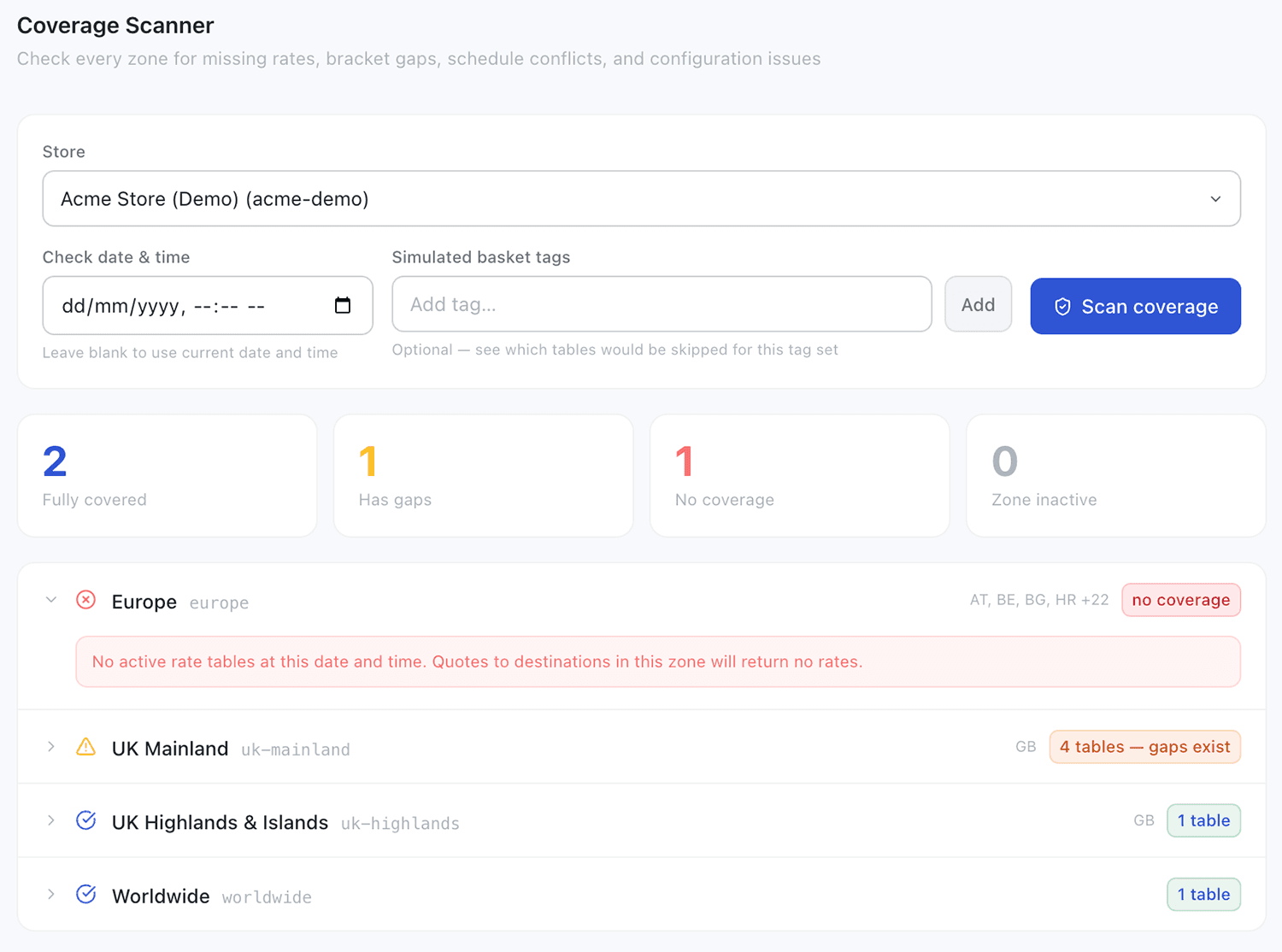
Your entire zone health at a glance.
After a scan, every zone is assigned a status. A summary bar at the top shows the count in each category so you can see your overall coverage health immediately — and know exactly where to focus.
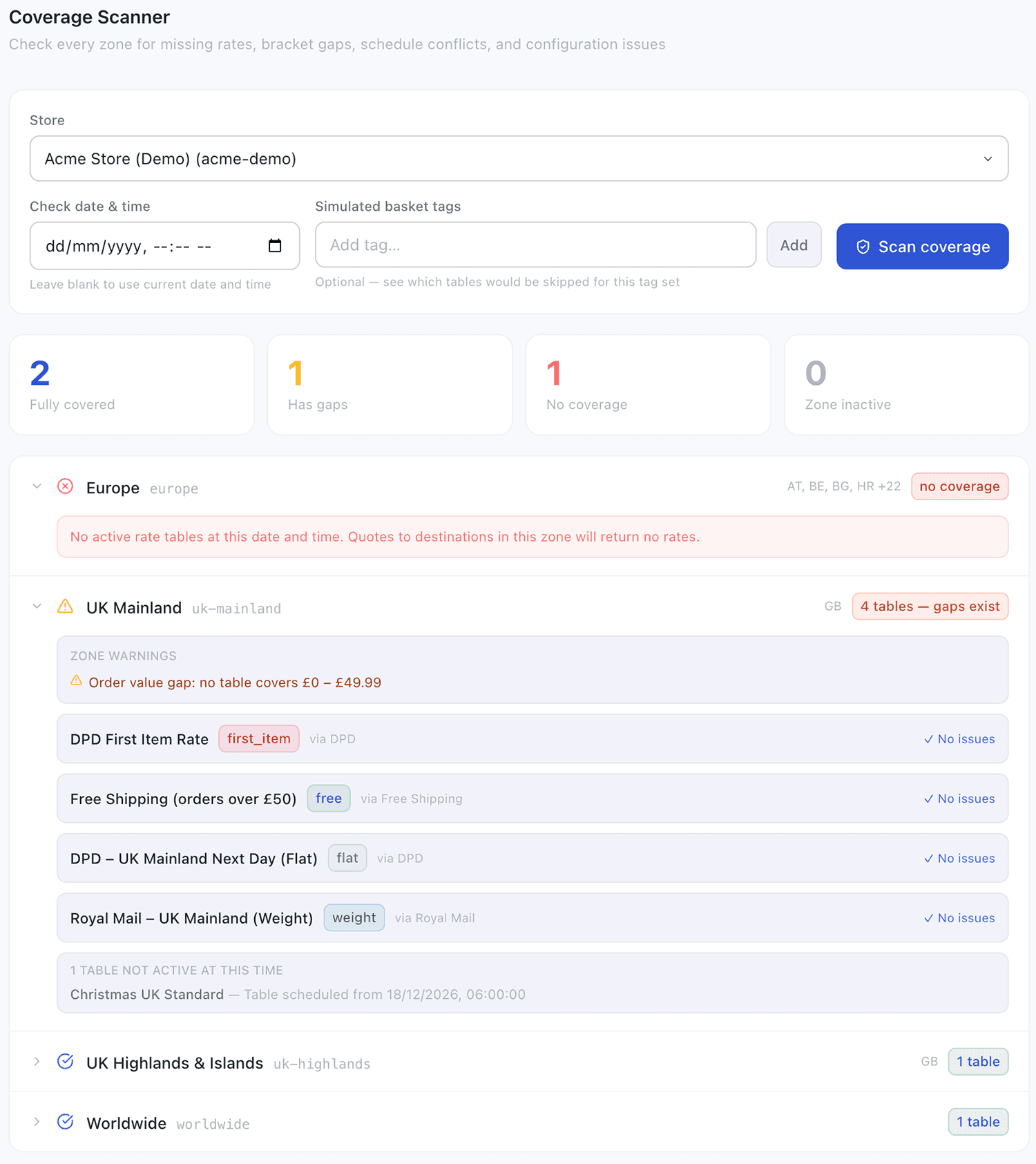
Drill into any zone for the full picture.
Expanding any zone row reveals exactly what the rating engine will do for orders to that destination — which tables are active, which are skipped and why, and specific actionable messages for every issue detected.
The essential companion to every other feature
The Coverage Scanner understands the full complexity of your configuration — run it any time you change anything.
Scheduled Rules
The essential companion to scheduled rate tables. After configuring any time-gated pricing, run the scanner to confirm there are no gaps between windows.
Learn moreTags
Checks whether your tag configuration leaves any order type without a valid rate — flags zones where untagged orders would fall through with no carrier available.
Learn moreShipping Rules
When combining multiple rate types with order value guards, the scanner validates that guards cover every possible order value without gaps or contradictions.
Learn moreKnow your checkout is working before your customers find out it isn't.
The Coverage Scanner is available on all plans. Navigate to Coverage in the admin portal, select a store, and run a scan in seconds.
Read the documentationTalk to us